Home › Guides › Where to keep important documents on your phone
Where to keep important documents on your phone
Last checked: 2026-11-10
Most of us already carry our most important papers on our phone: a photo of a license, an insurance card, a lease. The question is where those photos live.
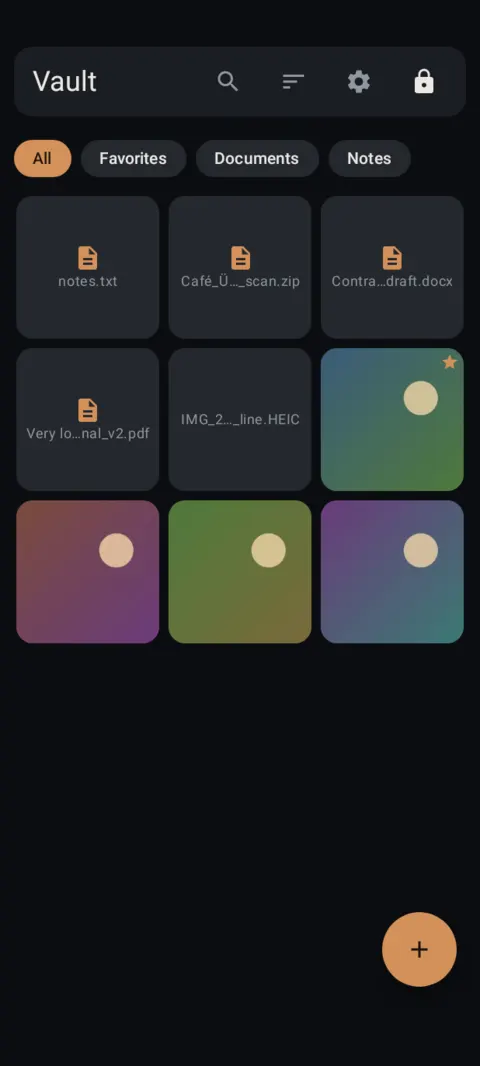
Why your camera roll is the wrong place
A photo of your license in the camera roll sits between vacation shots and memes. Anyone you hand your phone to can scroll past it, it may sync to a cloud photo library, and it often ends up forwarded in a chat. None of that is a disaster by itself. Together, it's a lot of copies of your most sensitive papers in places you don't control.
What a good home for documents looks like
- Locked behind something only you know, separate from your phone's screen lock.
- Encrypted on the phone, so the files are unreadable without your key.
- Organized into albums you can find in seconds: IDs, insurance, house, car, medical, receipts.
- Backed up to a place that isn't only this phone, in a form only you can open.
- Easy to export when you need to send one to a real person.
Start with these documents
What to still keep on paper
A phone copy is a convenience, not a replacement. Keep the originals of birth certificates, titles, deeds, wills and signed contracts somewhere safe at home. Whether a phone image counts for something official depends on who's asking, so check with the office or company involved.
How to do it with Lockstone
- Install Lockstone and draw a pattern.No account, no email. Free on Google Play.
- Scan the paper.Tap + › Scan document, capture each side, drag the corners, and keep Save as one PDF on.
- Put it in an album.Select the scan, tap the Add to album icon and create an album such as “IDs” or “Insurance”.
- Lock the album (optional).Long-press the album chip › Lock album and give it its own PIN or pattern.
- Delete the old copies.Remove any photo of the same paper from your gallery, chats and cloud photo backup.
- Back it up.Settings › Backup & restore › turn on Automatic backup and pick a folder that isn't only on this phone.
Lockstone keeps it locked
A private photo and file vault for Android with a document scanner, locked albums and encrypted backups. No account. No ads. No tracking.
 Free on Google Play.
Questions
Is it safe to keep documents on my phone?
It can be, if they're locked, encrypted on the phone and backed up somewhere only you can open. A plain camera roll is the weakest option.
What should I look for in an app for important documents?
Look for on-device encryption, no account, a built-in scanner, albums and an encrypted backup you control. Lockstone does all of that on Android.
Should I delete the photos from my gallery?
Yes, once the copy is in your vault. Also check chats and any cloud photo backup for extra copies.
What if I lose my phone?
Your vault stays encrypted. Restore it on a new phone from your encrypted backup with your recovery key.
More: all guides · all features · how-to videos
No account. No ads. No tracking.
Lockstone is free for up to 100 photos and 10 videos per vault, with every security feature included.