Home › Guides › How to keep contracts and signed papers on your phone
How to keep contracts and signed papers on your phone
Last checked: 2026-11-10
Leases, bids, change orders, vehicle titles, warranties: the papers you need on the spot are usually in a folder at home. A scan on your phone is there when you're not.
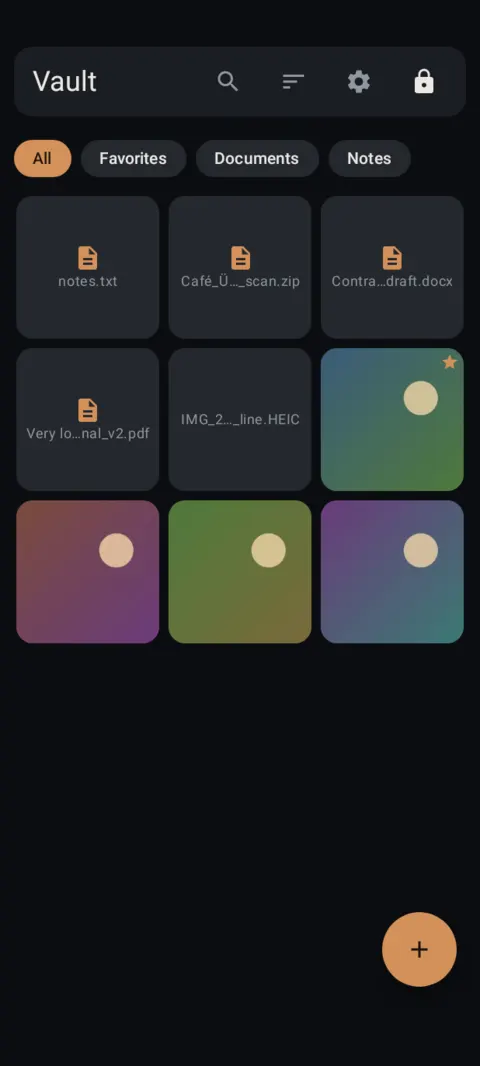
Organize by job, property or vehicle
- One album per property, vehicle or client job.
- Scan multi-page agreements as one PDF so the pages stay together.
- Name files with the date and the other party: “2026-11 lease renewal”.
Show the job photos, not the paperwork
If you hand your phone to a client to show job photos, your bids and other clients' contracts shouldn't be one swipe away. Keep paperwork in the vault and the job photos in your gallery.
Originals still matter
Keep signed originals of titles, deeds and important agreements somewhere safe. A phone copy is for reference and quick sharing.
How to do it with Lockstone
- Install Lockstone and draw a pattern.No account, no email. Free on Google Play.
- Scan the paper.Tap + › Scan document, capture each side, drag the corners, and keep Save as one PDF on.
- Put it in an album.Select the scan, tap the Add to album icon and create an album such as “IDs” or “Insurance”.
- Lock the album (optional).Long-press the album chip › Lock album and give it its own PIN or pattern.
- Delete the old copies.Remove any photo of the same paper from your gallery, chats and cloud photo backup.
- Back it up.Settings › Backup & restore › turn on Automatic backup and pick a folder that isn't only on this phone.
Lockstone keeps it locked
A private photo and file vault for Android with a document scanner, locked albums and encrypted backups. No account. No ads. No tracking.
 Free on Google Play.
Questions
Can I keep contracts on my phone safely?
Yes, if they're in an encrypted vault rather than the camera roll, and backed up to a place only you can open.
How do I send a contract from the vault?
Export the file to a folder, attach it to your email, then delete the exported copy. Exported copies aren't encrypted.
Is a scanned contract legally valid?
That depends on the document and who's asking. Keep the signed original and ask a lawyer if it matters.
More: all guides · all features · how-to videos
No account. No ads. No tracking.
Lockstone is free for up to 100 photos and 10 videos per vault, with every security feature included.