Home › Features › Albums & locked albums
Albums and locked albums
Sort your vault into albums. Then give the most private one its own PIN or pattern, so even an open vault keeps it hidden.
The 5-second moment
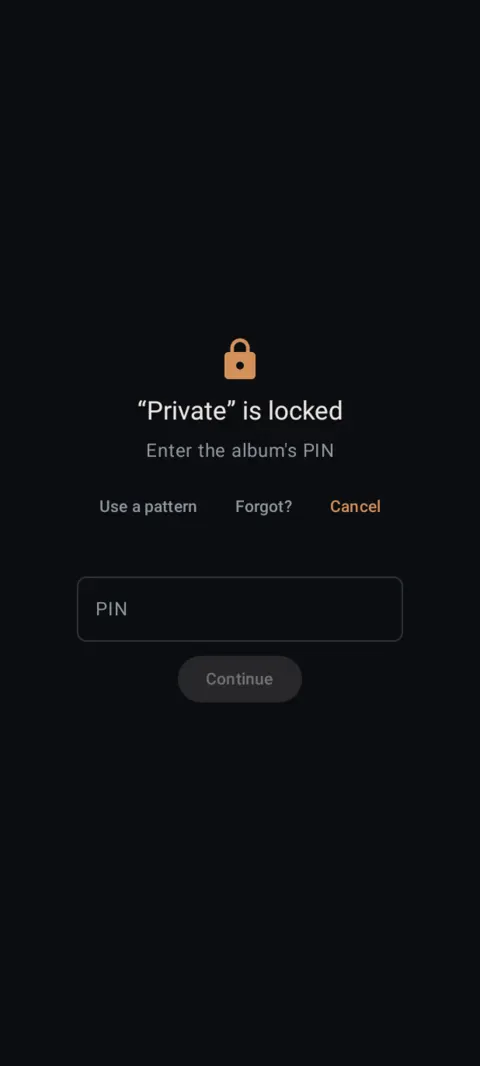
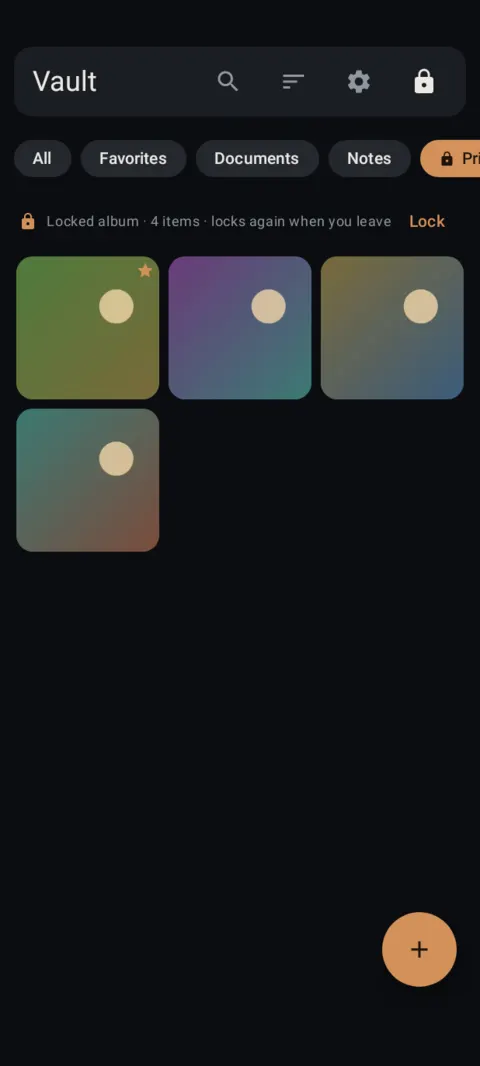
Tap the locked album, enter its own PIN, and it opens. Leave the album and it locks again.
 Free on Google Play. No account, no ads, no tracking.
What it does
- Albums show as chips at the top of the gallery, next to All, Favorites, Documents and Notes.
- A locked album has its own PIN (6+ digits) or pattern, separate from your vault pattern.
- While locked, its items don't show in All, Favorites, Documents, Notes, search, tags or counts. The chip shows only the name and a lock.
- It locks again when you leave the album and every time the vault locks.
- Optional fingerprint per album. Forgot the album passcode? Reset it with your vault pattern plus your recovery words, or your phone's screen lock when automatic recovery is on. Your photos stay as they are.
- Backups include locked albums, and they restore locked, with the same passcode.
How to use it
Menu names are exactly as they appear in Lockstone 1.1.1. The gear icon at the top right of the Vault screen opens Settings.
- Select photos.Long-press a photo in the gallery, then tap more to add them.
- Tap the Add to album icon.Type a name in New album, tap Add, then Done. The album appears as a chip.
- Lock it.Long-press the album chip, tap Lock album, read the note and tap Continue.
- Choose a PIN or a pattern.Enter it twice. The album's photos move into the locked album, encrypted with their own key.
- Open it.Tap the chip and enter the album's PIN or pattern (or use your fingerprint if you turned it on).
- Manage it.Long-press the chip for Change passcode, Use fingerprint, Forgot passcode? and Remove lock.
Locking an album needs a recovery phrase on the vault. If you haven't set one up, Lockstone asks you to set one up before locking.
Items deleted inside a locked album skip Trash and are gone for good. Lockstone warns you before it deletes them.
Export everything doesn't include locked albums. Open the album and select its items to export them.
Free Included in the free plan. See plans.
Questions
Can someone with my vault pattern see a locked album?
They see the album's name and a lock icon. Its photos stay hidden and encrypted until the album's own PIN or pattern is entered.
What if I forget an album's passcode?
Long-press the chip › Forgot passcode? Confirm your vault pattern, then your recovery words (or your phone's screen lock when automatic recovery is on), and set a new passcode. No photos are lost.
How many wrong tries are allowed?
Five. After that Lockstone makes you wait, and the wait doubles with each further miss.
Are locked albums free?
Yes. Locked albums, like every security feature, are in the free plan.
Related features
Related guides
Prefer to watch? See the how-to videos.
No account. No ads. No tracking.
Lockstone is free for up to 100 photos and 10 videos per vault, with every security feature included.