Home › Guides › How to organize receipts on your phone
How to organize receipts on your phone
Last checked: 2026-11-10
Paper receipts fade, get lost in a glovebox and never turn up when you need a return or a warranty claim. A scan on your phone doesn't.
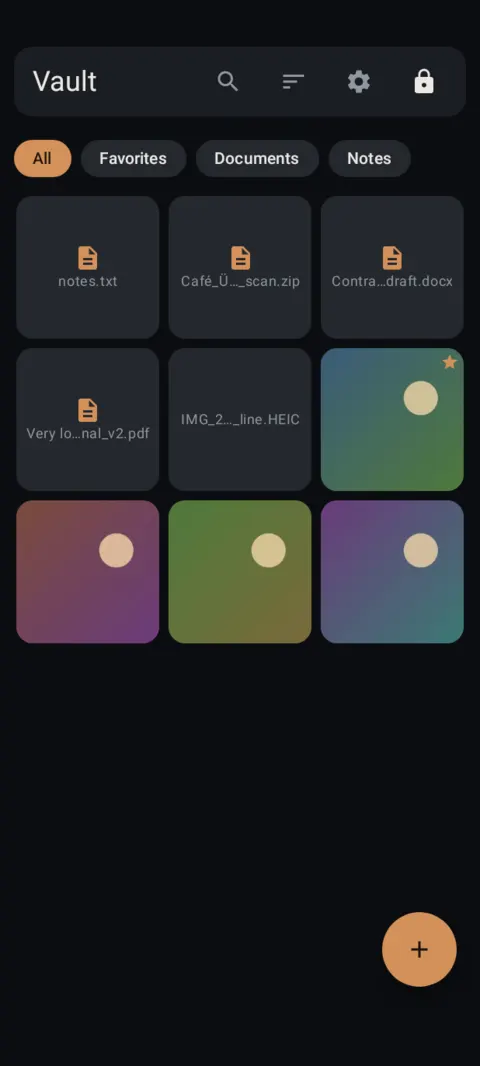
Scan the day you get it
The easiest system is the one you do at the counter or in the truck: scan the receipt right away, then toss it or file the original if you need to keep it.
Make them findable
- Use one album for receipts, or one per purpose: “Warranty”, “Returns”, “Taxes 2026”.
- Tag them, for example
#toolsor#medical, so search finds them later. - Use the date filter (7 days, 30 days, This year) when you know roughly when you bought it.
Why private?
Receipts show where you shop, what you paid and often the last digits of your card. Not secret, but not something to leave in a shared camera roll either.
Tax time
Export the year's receipts to a folder when you need to send them to whoever does your taxes, then delete the exported copies once they're sent. Ask your tax preparer what format and records they need.
How to do it with Lockstone
- Install Lockstone and draw a pattern.No account, no email. Free on Google Play.
- Scan the paper.Tap + › Scan document, capture each side, drag the corners, and keep Save as one PDF on.
- Put it in an album.Select the scan, tap the Add to album icon and create an album such as “IDs” or “Insurance”.
- Lock the album (optional).Long-press the album chip › Lock album and give it its own PIN or pattern.
- Delete the old copies.Remove any photo of the same paper from your gallery, chats and cloud photo backup.
- Back it up.Settings › Backup & restore › turn on Automatic backup and pick a folder that isn't only on this phone.
Lockstone keeps it locked
A private photo and file vault for Android with a document scanner, locked albums and encrypted backups. No account. No ads. No tracking.
 Free on Google Play.
Questions
How should I keep receipts on my phone?
Scan them with a document scanner as soon as you get them, keep them in one album, and tag them so search finds them.
Can I find a receipt by date?
Yes. In Lockstone, search plus the date filters (7 days, 30 days, This year or custom dates) narrows it down fast.
Do I still need the paper receipt?
Sometimes. Some stores and some tax situations want the original, so ask before you throw it away.
More: all guides · all features · how-to videos
No account. No ads. No tracking.
Lockstone is free for up to 100 photos and 10 videos per vault, with every security feature included.