Home › Features › Pattern lock, PIN & fingerprint
Pattern lock, PIN and fingerprint unlock
Your vault opens only with the pattern you draw (or a PIN you choose). There's no account and no password to reset by email.
The 5-second moment
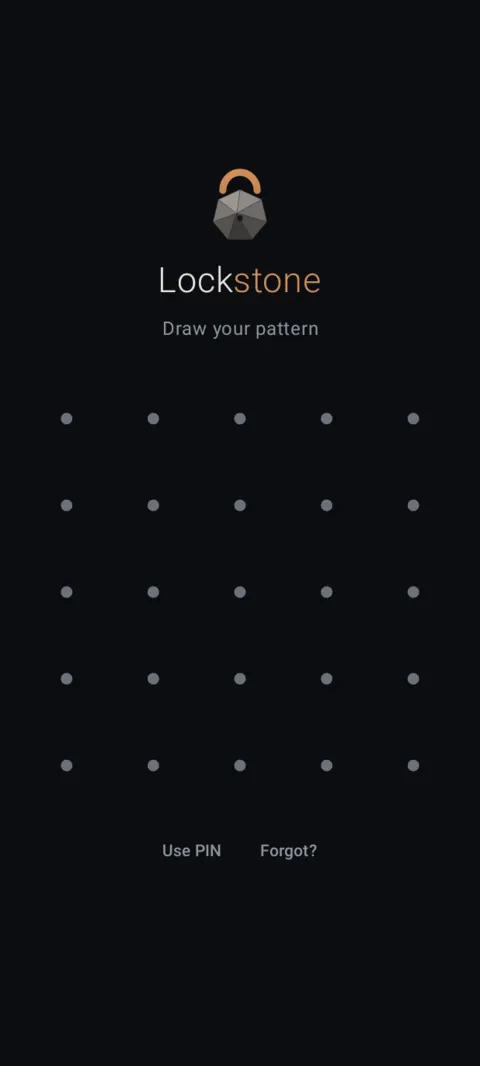
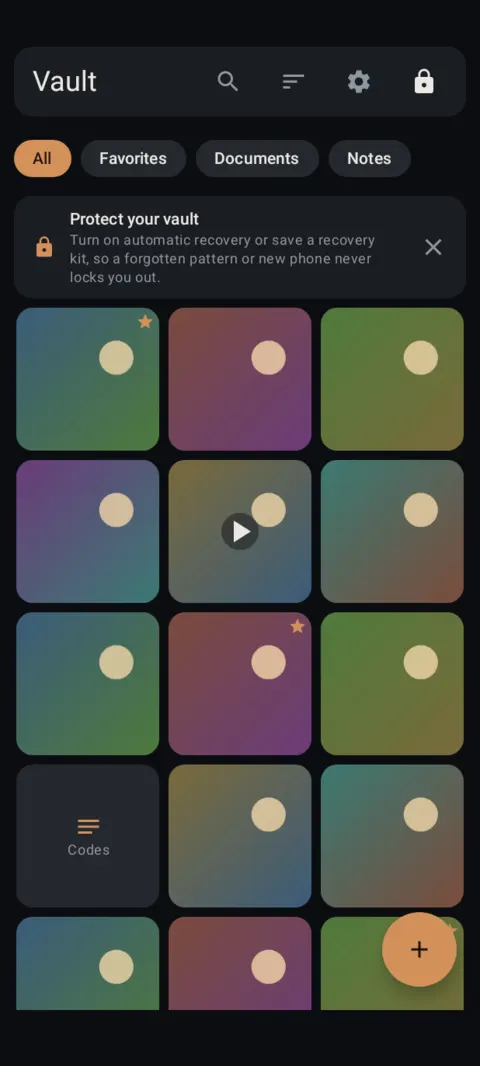
Draw your pattern on the 5×5 grid and the vault opens. One tap on the lock icon closes it again.
 Free on Google Play. No account, no ads, no tracking.
What it does
- A 5×5 pattern grid. Connect at least 4 dots. Prefer numbers? Use a PIN of 6 digits or more.
- Your pattern is stretched with Argon2id before it unlocks your vault key, so every guess is slow.
- Optional fingerprint unlock with strong (Class 3) biometrics. Your pattern is still required after a restart and every 72 hours.
- Auto-lock when you leave the app: immediately, after 30 seconds, 1 minute or 5 minutes. The vault also locks when the screen turns off.
- Screenshots, screen recording and the recent-apps preview are blocked inside the vault. You can allow screenshots for one session if you need to.
How to use it
Menu names are exactly as they appear in Lockstone 1.1.1. The gear icon at the top right of the Vault screen opens Settings.
- Open Lockstone and tap Get started.The welcome screen only appears before you have a vault.
- Draw a pattern that connects at least 4 dots, then tap Next.Prefer numbers? Tap Use a PIN instead and choose 6 or more digits.
- Draw it again to confirm.Your vault is created and opens straight away.
- Lock it any time.Tap the lock icon at the top right of the Vault screen.
- Change your pattern or PIN.Tap the gear icon, then Settings › Unlock › Change pattern or PIN. Your files aren't re-encrypted, only the key wrapper changes.
- Add your fingerprint (optional).Settings › Unlock › Fingerprint unlock, then confirm with your fingerprint.
- Pick your auto-lock time.Settings › Unlock › Auto-lock after leaving the app: Immediately, 30 s, 1 min or 5 min.
Forgot your pattern? You can get back in only with your recovery words, your recovery kit, or automatic recovery. Without one of them, a forgotten pattern means your files are lost, and nobody can recover them, including us. Set up recovery.
Free Included in the free plan. See plans.
Questions
Can I use a PIN instead of a pattern?
Yes. On the setup screen tap Use a PIN instead and choose 6 or more digits. You can switch later in Settings › Unlock › Change pattern or PIN.
Does fingerprint unlock replace my pattern?
No. Fingerprint is a shortcut. Lockstone asks for your pattern after every restart and at least every 72 hours. Fingerprint works for your main vault only.
How many dots does a pattern need?
At least 4 on a 5×5 grid. Longer patterns with direction changes are harder to guess.
Can I take screenshots inside the vault?
Not by default. Settings › Privacy & help › Allow screenshots this session turns protection off until Lockstone locks again.
Related features
Related guides
- Photo vault with no account: what if you forget your pattern?
- How to hide photos on Android: 3 ways compared
Prefer to watch? See the how-to videos.
No account. No ads. No tracking.
Lockstone is free for up to 100 photos and 10 videos per vault, with every security feature included.