Home › Features › Import & hide photos
Import and hide photos, videos and files
Tap +, pick what to hide, and it lands encrypted in your vault. Then remove the originals from your gallery in one step.
The 5-second moment
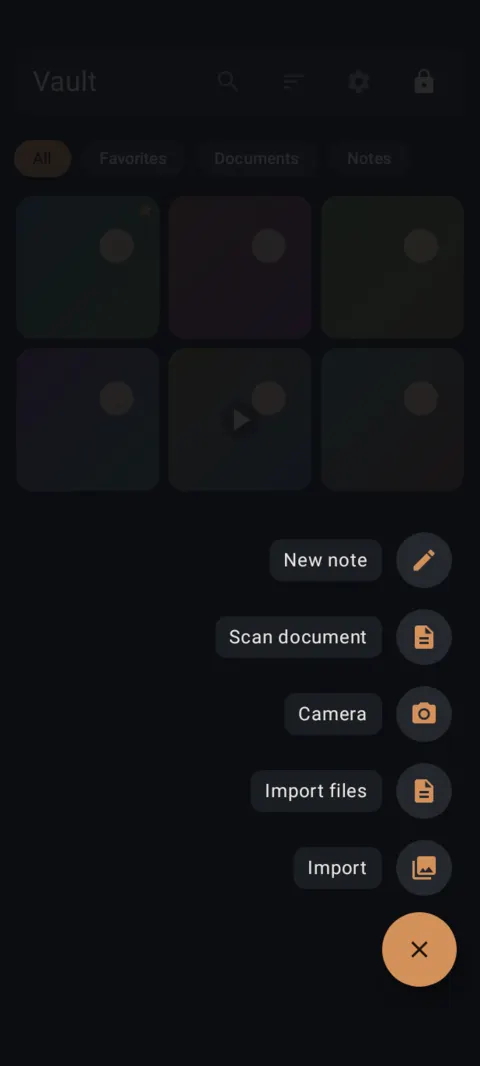
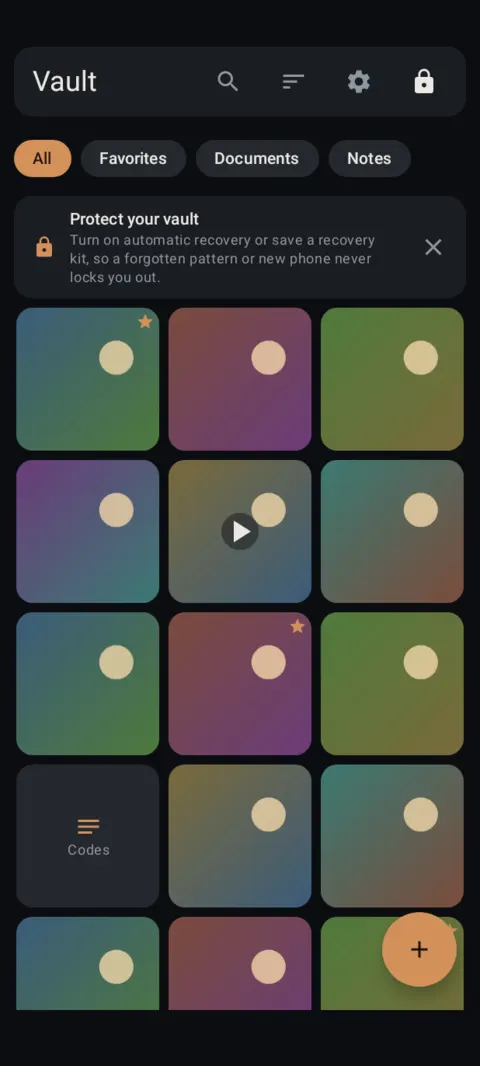
Tap +, then Import, choose your photos. Seconds later they're in the vault, encrypted.
 Free on Google Play. No account, no ads, no tracking.
What it does
- Import opens the Android photo picker, so Lockstone never needs storage permission.
- Import files adds PDFs, Word documents, ZIPs and other files through the system file picker.
- Camera is a secure in-app camera. Photos go straight into the vault and never touch your gallery.
- From any app, use Share › Send to Vault, then unlock.
- Location and camera details are removed from JPEG, PNG, WebP, HEIC, MP4 and MOV files as they're imported. If a file can't be fully cleaned, Lockstone tells you.
- After an import, tap Delete originals from Gallery and Android asks you to confirm.
How to use it
Menu names are exactly as they appear in Lockstone 1.1.1. The gear icon at the top right of the Vault screen opens Settings.
- Unlock your vault and tap + at the bottom right.The add menu opens.
- Tap Import.The Android photo picker opens. Choose the photos and videos you want to hide and confirm.
- Wait for “Encrypting 1 of N”.When it says Imported, your items are in the vault.
- Remove the originals.Tap Delete originals from Gallery. Android shows a confirmation.
- Import other files.+ › Import files for PDFs, documents and ZIPs.
- Or send from another app.In your gallery or file manager tap Share › Send to Vault, then draw your pattern.
Copies that already went to a cloud photo backup, a chat app or a computer stay there until you delete them there. How to find those copies.
Free plan: up to 100 photos and 10 videos per vault. If an import goes past the limit, Lockstone tells you which items weren't added.
Free Included in the free plan. See plans.
Questions
Does Lockstone need storage permission?
No. Imports go through Android's photo picker and file picker, which hand over only what you choose.
Are the originals deleted automatically?
No. After an import, tap Delete originals from Gallery and confirm Android's prompt.
Is location data removed?
Yes, from JPEG, PNG, WebP, HEIC, MP4 and MOV files on import. Lockstone warns you when a file can't be fully cleaned.
Can I take photos straight into the vault?
Yes. + › Camera saves photos directly into the vault. They never appear in your gallery.
Related features
Related guides
Prefer to watch? See the how-to videos.
No account. No ads. No tracking.
Lockstone is free for up to 100 photos and 10 videos per vault, with every security feature included.